The Ultimate YouTube Thumbnail Size Guide for 2026 - Best Resolution, Dimensions & Tips
Your YouTube thumbnail is the first thing viewers see before clicking your video. A well-designed thumbnail can significantly boost your click-through rate (CTR) and help you get more views. But even the best design won't look right if you use the wrong YouTube thumbnail size, resolution, or file format. According to YouTube's official Help Center, custom thumbnails are one of the most important tools for driving views.
In this guide, you will learn the ideal YouTube thumbnail size of 1280x720 pixels, the recommended resolution, YouTube thumbnail aspect ratio, file format options, and size limits. We also cover YouTube Shorts thumbnail dimensions, common mistakes to avoid, and expert tips to make thumbnails that actually get clicked by viewers and boost your channel's growth.
What Is the Best YouTube Thumbnail Size?
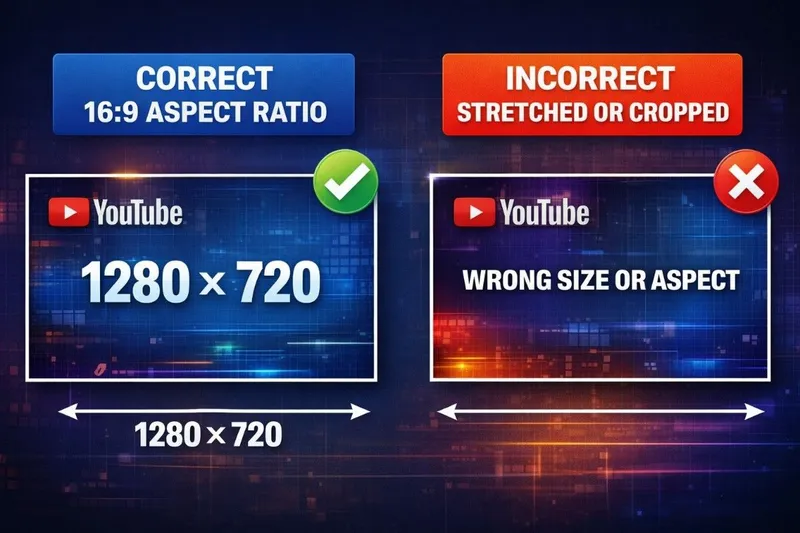
YouTube officially recommends a thumbnail size of 1280 x 720 pixels. This gives you a 16:9 aspect ratio, which matches the standard YouTube video player on all devices - desktop, mobile, tablet, and TV. This is the same aspect ratio used by YouTube channel banners and most video content on the platform.
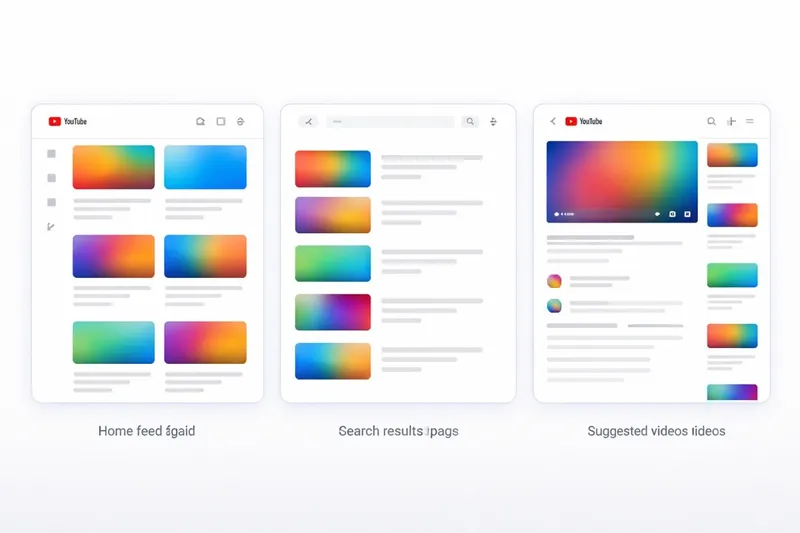
Using the correct YouTube thumbnail dimensions ensures your image displays clearly everywhere - from search results and the home feed to suggested videos and embedded players. If your thumbnail is too small or has the wrong aspect ratio, YouTube will crop or stretch it, which looks unprofessional and reduces your click-through rate. The minimum width YouTube accepts is 640 pixels, but always upload at the full 1280x720 for the sharpest results.
YouTube Thumbnail Size Chart - Quick Reference
Here is a complete reference table of all the YouTube thumbnail dimensions and specifications every content creator needs to know in 2026:
| Specification | Recommended Value |
|---|---|
| Resolution | 1280 x 720 pixels |
| Minimum width | 640 pixels |
| Aspect ratio | 16:9 |
| Max file size | 2 MB |
| File formats | JPG, PNG, GIF |
| Color space | sRGB |
Why YouTube Thumbnail Size Matters for SEO
YouTube uses click-through rate as a major ranking factor in its algorithm. Videos with higher CTR tend to rank better in search results and get recommended more often in the home feed and suggested videos sidebar. Your thumbnail is the single biggest driver of CTR - it is what makes people choose your video over dozens of others in the feed.
A thumbnail that is blurry, cropped incorrectly, or pixelated because of wrong YouTube thumbnail pixels will get fewer clicks. That means fewer views, less watch time, and lower rankings. Getting the right size is the foundation of every successful thumbnail strategy. According to YouTube's Creator Academy, 90% of the best-performing videos on YouTube use custom thumbnails.
Beyond CTR, proper thumbnail sizing affects how professional your channel appears to new visitors. When a potential subscriber visits your channel page, they see a grid of your video thumbnails. If some are blurry or cropped while others are sharp, it creates an inconsistent and unprofessional impression that hurts your channel branding.
Where YouTube Thumbnails Appear
Your thumbnail is displayed across YouTube in many different placements, each rendering at different sizes. Uploading at 1280x720 ensures crisp display everywhere:
- Search results - Medium size, alongside title and channel name. This is where keyword-optimized thumbnails have the most SEO impact.
- Home feed - Large cards on desktop, medium-sized on mobile. The most common discovery surface for new viewers.
- Suggested videos sidebar - Small size next to the currently playing video. Text must be large enough to read at this small size.
- Notifications - Very small preview. Only bold, simple thumbnails remain recognizable here.
- Embedded players - Varies by website. Your thumbnail serves as the video poster image before playback.
- YouTube TV app - Shown on large screens where high resolution matters most.
- Channel page grid - Your entire video library displayed as thumbnail grid, where brand consistency is critical.
Because your thumbnail appears at so many different sizes, uploading at the full 1280 x 720 YouTube thumbnail resolution ensures it looks sharp everywhere. YouTube scales it down automatically for smaller displays without quality loss.
YouTube Shorts Thumbnail Size
YouTube Shorts use a vertical format with a 9:16 aspect ratio. This is completely different from regular YouTube videos which use the standard 16:9 horizontal format.
The recommended custom thumbnail size for YouTube Shorts is 1080 x 1920 pixels. However, YouTube still stores and extracts Shorts thumbnails in the standard 16:9 format (1280 x 720 pixels) for search results and suggested video displays. Custom thumbnail support for Shorts has been fully rolled out in 2026, making it an essential optimization for Shorts content creators.
| Type | Size | Aspect Ratio |
|---|---|---|
| Regular video thumbnail | 1280 x 720 px | 16:9 |
| YouTube Shorts thumbnail | 1080 x 1920 px | 9:16 |
Best File Format for YouTube Thumbnails
YouTube accepts three image formats for custom thumbnails. Choosing the right one depends on your thumbnail's visual content:
- JPG (JPEG) - Best for photos and images with lots of colors, gradients, and realistic imagery. Smaller file size with good compression. Ideal for thumbnails using real photos or screenshots.
- PNG - Best for graphics, text overlays, and designs with sharp edges. Higher quality but larger file size. Use when your thumbnail has bold text, logos, or flat graphic elements that need to stay crisp.
- GIF - Supported but not recommended. Only the first frame is used as the thumbnail. There is no animation support for YouTube thumbnails.
Common YouTube Thumbnail Mistakes to Avoid
Even experienced content creators make these mistakes. Avoiding them gives you an immediate competitive edge in your niche:
- Wrong aspect ratio - Using a square or vertical image causes YouTube to add black bars (letterboxing) or crop your thumbnail awkwardly. Always use 16:9 ratio at 1280x720.
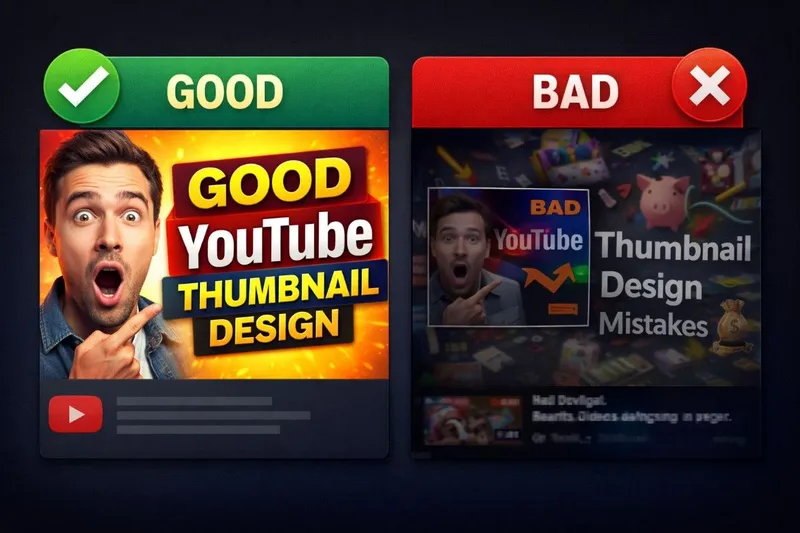
- Too much text - Small text becomes completely unreadable on mobile devices and in the suggested video sidebar. Keep text large, bold, and limited to 2-4 words maximum.
- Low resolution - Uploading images smaller than 1280 x 720 results in blurry, pixelated thumbnails that look amateur and reduce CTR.
- File too large - Thumbnails over 2 MB will be rejected by YouTube. Compress with TinyPNG before uploading.
- Misleading thumbnails - Clickbait that does not match the video content hurts watch time, viewer satisfaction, and can lead to algorithmic suppression.
- No contrast - Thumbnails that blend into YouTube's white background get completely overlooked. Use bold, saturated colors and strong outlines.
- Inconsistent branding - Using different styles, fonts, and colors across your thumbnails makes your channel page look disorganized and hurts brand consistency.
Expert Tips to Design Click-Worthy YouTube Thumbnails
Here are proven tips used by top YouTube content creators to achieve higher CTR and more views:
1. Use Faces and Emotions
Thumbnails with human faces showing strong emotions (surprise, excitement, curiosity) consistently get more clicks. Our brains are wired to notice facial expressions. The face should take up at least 30-40% of the thumbnail area. Film thumbnail photos separately from the video using good lighting and a high-quality camera for the best results.
2. Use Bold, Readable Text
Add 2-4 words of large, bold text that complements your video title - do not repeat the title word-for-word. Use contrasting colors (white text with dark outline works great on any background) and avoid fonts smaller than 40pt. Sans-serif fonts like Montserrat, Bebas Neue, or Impact are the most readable at small sizes.
3. Pick Contrasting Colors
YouTube's interface is mostly white and grey. Thumbnails with bright, saturated colors like yellow, red, and blue stand out dramatically in the feed. Avoid white or light grey backgrounds that blend into the page. Use complementary color pairs (yellow+black, red+white, blue+orange) for maximum visual impact.
4. Keep It Simple
The best thumbnails communicate one clear idea. Do not overcrowd with too many elements - viewers glance at thumbnails for less than a second before scrolling. One subject, one text element, one clear message. Remove anything that doesn't directly support your key message.
5. Study What Works
Download thumbnails from top-performing videos in your niche using a free YouTube thumbnail downloader. Save 10-15 thumbnails from the most viewed videos, put them side by side, and study what designs, colors, text styles, and layouts they have in common. Adapt those winning patterns for your own channel's unique brand style.
6. A/B Test Your Thumbnails
YouTube now offers a built-in thumbnail A/B testing feature called "Test & Compare." Upload multiple thumbnail options and let YouTube show each version to different viewers to measure which one drives higher watch time and CTR. Data-driven decisions beat guesswork - even a 1% CTR improvement can mean thousands of extra views over a video's lifetime.
How to Download and Analyze Competitor Thumbnails
One of the fastest ways to improve your thumbnail game is to study what already works in your niche. Here is the step-by-step process used by professional content creators:
- Find top-performing videos in your niche (sort by "Most popular" on any channel).
- Copy the video URL from your browser.
- Paste it into downloadythumbnail.online to download the thumbnail in HD, Full HD, or maximum quality.
- Save a collection of 10-15 thumbnails that catch your eye.
- Analyze patterns - colors, text placement, facial expressions, composition, and overall layout.
- Apply what you learn to your own designs while maintaining your unique channel branding style.
Download Any YouTube Thumbnail in HD & 4K
Paste any YouTube URL and save the thumbnail instantly. Free YouTube thumbnail downloader, no login needed.
Try the Thumbnail Downloader